

Edit 10 Photos in 5 Minutes — A Content Creator Workflow

Batch editing, presets, and AI tools can dramatically cut your post-production time. Here's the exact workflow we use.
Why It Matters
Batch editing, presets, and AI tools can dramatically cut your post-production time. Here's the exact workflow we use.
Understanding the core principles behind this technique helps you apply it more consistently. The difference between a good result and a great one often comes down to knowing what you're trying to achieve before you start.
The best edits are the ones that look like they were never made.
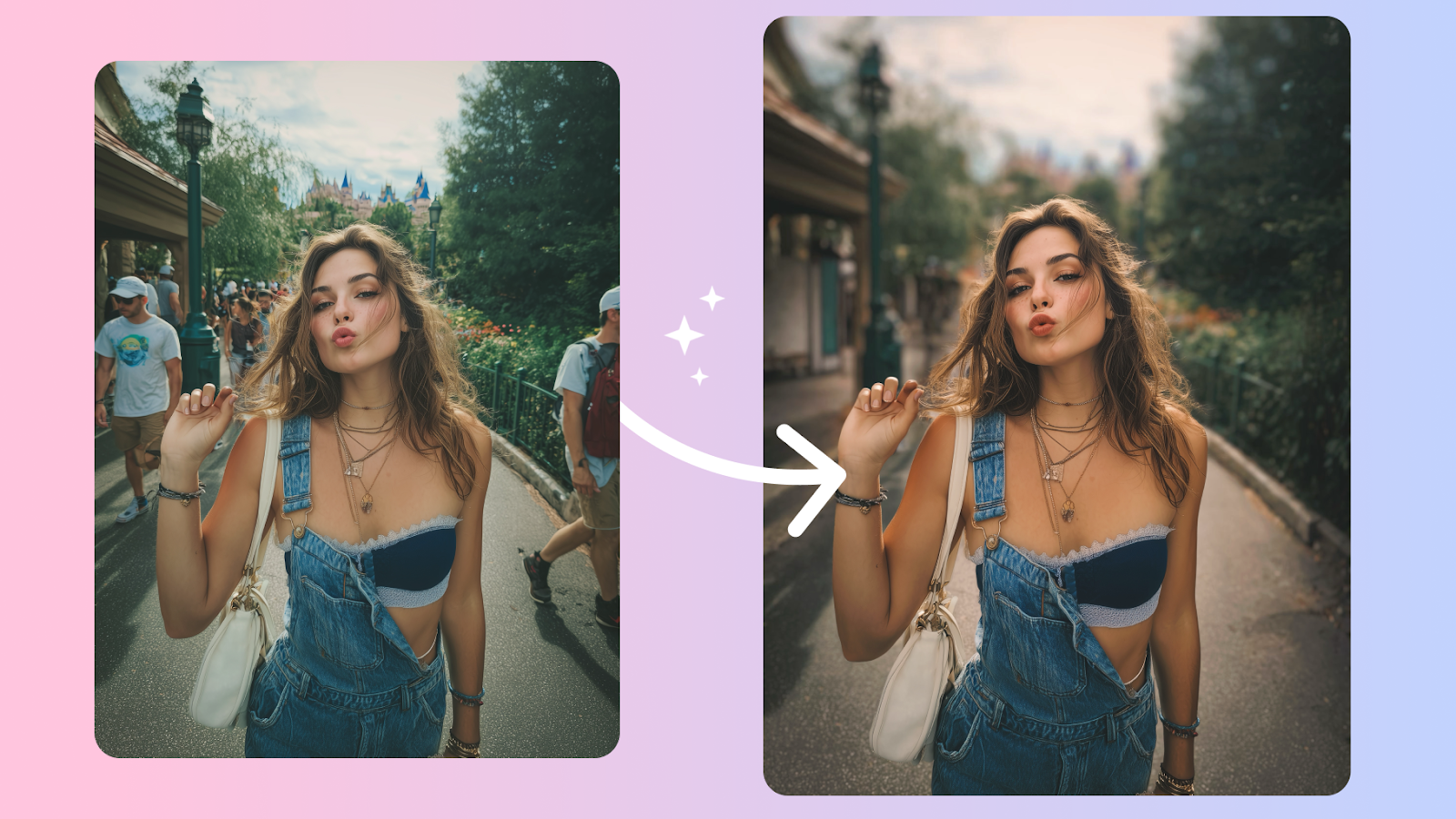
Getting Started
Approach this step by step, making small adjustments rather than large ones. Each individual change might seem minor, but together they create a significant improvement.
Take your time and zoom out regularly to check the overall image. What seems correct up close often reads differently at full size.
The Result
With practice, these techniques become second nature. The goal is always to enhance rather than transform — to bring out the best in what's already there.
Start with the most significant issue and work your way to subtler details. This approach gives you the clearest sense of progress and helps you avoid over-editing any single element.
Frequently Asked Questions
Is Facelab free to use?
Which devices does Facelab support?
Mais em Redes sociais
Ver tudo
What Makes a Pinterest-Perfect Photo (And How to Edit One)
Pinterest has a distinct visual language — bright, clean, high-contrast. Here's how to edit your photos to perform well on the platform.
How to Edit Flat-Lay Photos for Instagram
Flat lays have their own editing rules — light direction, color balance, and background consistency matter more than in portrait shots.

LinkedIn Profile Photo Tips That Actually Get Results
Professional doesn't have to mean boring. These tips help you get a photo that looks authoritative and approachable at the same time.

